

Version 2 of the Tilted Web API for Sage 200 now installs from one signed program called TiltedSage200WebAPISetup.exe. The Web API is the web service your other systems use to read and update Sage 200. An installation guide goes with the installer.
Copy the program to your Sage 200 server and run it there. Windows names Tilted Limited as the publisher when it asks for administrator rights. The first page lists what to have to hand:
- a Windows account for the web service to run as - it must be a Sage 200 user with access to the companies the API serves
- an administrator sign-in for the SQL Server that holds Sage 200
- the Tilted Sage 200 and Tilted Sage 200 API add-ons installed in Sage
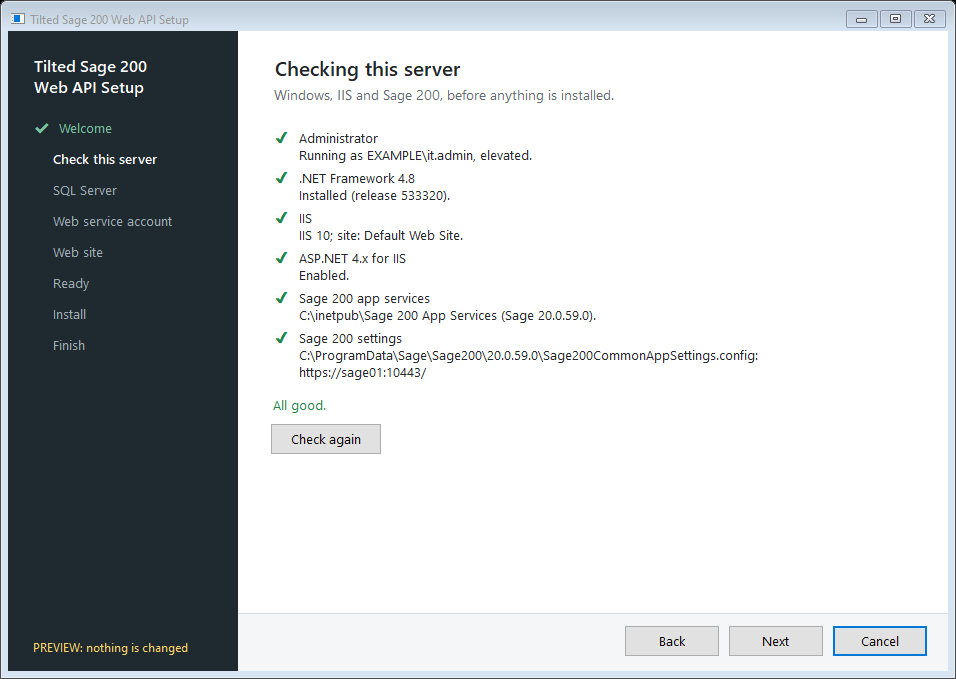
Setup checks the server for .NET Framework 4.8, IIS, ASP.NET and the Sage 200 app services and each check that fails says what to do about it. It confirms both add-ons are installed and checks the account’s password with Windows. A Ready page lists every change and nothing is changed until you press Install.
The last steps start the site and sign in to Sage as the web service’s account. The Finish page shows the site’s addresses with the key and the first API user’s password that Setup generated. Those two are shown once so copy them or save them to a file.
Run Setup again on a server that already has the Web API and it opens a Manage page where you can upgrade with your settings kept, check the site, repair it, change the account or its password or uninstall it.
Download the installer and its guide from our Downloads page.